A DMG/MGB/CGB cartridge tool to extract, restore and tune content.
MROM-ED3A_210B.zip - 2026 sweet Valentine / history
Developed and tested with Pocket firmware version 2.5 (APF @ 1.2)
(1) MBC3 32KiB SRAM = Wario Land II (USA/EU), Pokémon Blue/Red (USA), ...H/W database - identify cartridge type
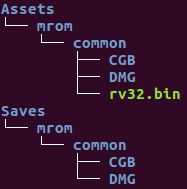
ROM @ Assets/mrom/common/...
RAM snapshots (savegame) located @ Saves/mrom/common/... (visible by budude2's openfpga-GBC core)
Empty DMG and CGB folders from the zip file must be present at install - pocket-sync fix
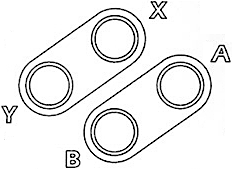
Input mapping = SNES controller style.
Gateware at https://github.com/lemouel/openfpga-litex
The 8-bit down-converters on the WISHBONE bus connecting to the cartridge bridge require the VexRiscv Scala code to be modified. The patch is only required to regenerate the CPU HDL. VexRiscvLitexSmpCluster_Cc1_Iw64Is4096Iy1_Dw64Ds4096Dy1_ITs4DTs4_Ldw32_Ood_Fpu4_Hb1_Rvc.v on GitHub is already patched, ready for synthesis.
https://github.com/SpinalHDL/VexRiscv @ 24795ef0
Disclaimer
This tool is provided for educational and preservation purposes only.
Please do not distribute, or use copyrighted content you do not have rights to.
The author of this tool does not condone or support software piracy and is not responsible for any misuse of this software.
- special thanks -
Pixel Cherry Ninja - for introducing MROM to the world
RetroSho - @sho1985, Discord - relentless testing/debug
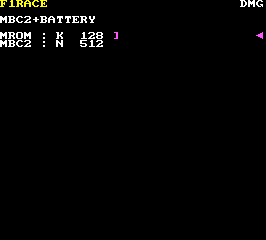
↑↓ = move selection cursor, A = select
(M)ROM = (Masked) Read-Only Memory
| N | nibble (4-bit) |
| - | byte (8-bit) |
| K | KB/KiB |
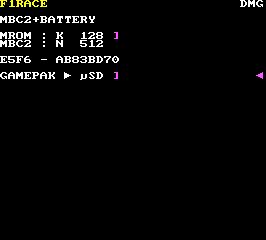
↑↓ = move selection cursor (no effect, single entry), A = select, B = back
E5F6 = global cartridge checksum (ROM hardcoded) AB83BD70 = calculated crc32 IEEE (by firmware)
If the global cartridge checksum reported by the cartridge header (displayed) and the firmware internal calculation mismatch, a red exclamation mark is added after the CRC32. This is most likely caused by read errors. Try reseating the cartridge, inserting/removing it a few times and/or inspect the contacts.
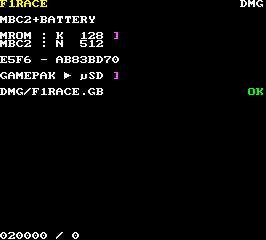
A or B = back to MROM/SRAM selection
ROM @ Assets/mrom/common/DMG/F1RACE.GB
If a file with a matching name exists at this location, it will be automatically overwritten.
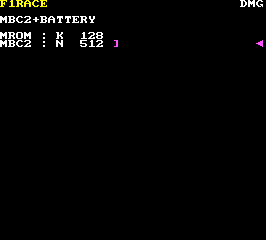
↑↓ = move selection cursor, A = select
(S)RAM = (Static) Random-Access Memory
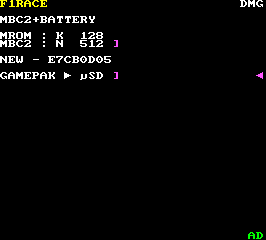
↑↓ = move selection cursor (no effect, single entry), A = select, B = back
NEW = no preexisting savegame on filesystem for this game E7CB0D05 = calculated savegame crc32 IEEE (by firmware)
AD = savegame internal checksum (in SRAM) - green = valid, red = mismatch
With F1 RACE (only game currently supported by this feature), the firmware will automatically analyze the savegame and validate its internal checksum, just like the game does at boot. Since the checksum is calculated after the cartridge SRAM content has been copied to the internal memory of the Pocket, this guarantees that data saved to the SD card is valid and error free.
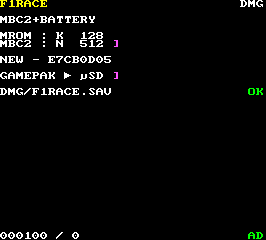
A or B = back to MROM/SRAM selection
savegame @ Saves/mrom/common/DMG/F1RACE.SAV
Linux (macOS?) users - mGBA only looks for a lower case *.sav file. Changing the file extension to lower case may be necessary.
The Mesen emulator expects *.srm files for savegame. It was reported that simply changing the *.SAV extension to an *.srm is enough to make the file compatible.
MBC1, MBC3 and MBC5 derived RAM snapshots are compatible with both mainstream emulators (BGB, mGBA...) and budude2's openfpga-GBC core.
MBC2 snapshots are not interoperable. Emulation and openFPGA (+ MISTer?) use different formats. By default, MROM will use the openFPGA format for the game to be directly playable on the Analogue Pocket w/ budude2's MISTer GB/GBC core port. This is indicated by a red ƒ sign on the right side of the cartridge RAM stats. You can revert back to emulator mode, only for a NEW or DIFF snapshots. Pressing X will toggle the ƒ sign (on = FPGA / off = emulation). The emulator mode is designed for the file to be copied out to a computer and not for local use. If an emulator format savegame is on the SD card, running the openFPGA GB/GBC core will blank it out and overwrite it! Once the savegame has been used on a computer emulator, it can be copied back to the SD card for upload to a physical cartridge (see DIFF mode).
MBC2 savegames can be written back seamlessly to the cartridge, regardless of their format. MROM autodetects the variant and performs the convertion on-the-fly.
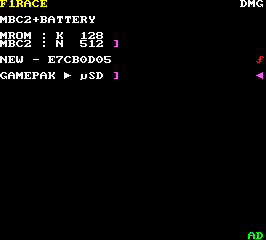
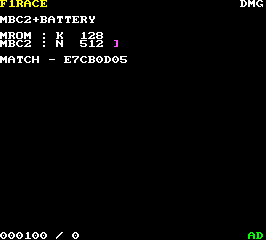
A or B = back to MROM/SRAM selection
The cartridge content and the copy on the SD card are identical. No action.
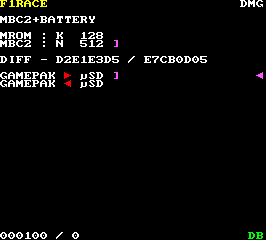
↑↓ = move selection cursor, A = select, B = back
DIFF = an existing savegame is present on the filesystem for this game and it is different from the current SRAM content D2E1E3D5 = calculated crc32 IEEE (by firmware) of the cartridge savegame content E7CB0D05 = calculated crc32 IEEE (by firmware) of the savegame on the SD card
The red arrows show the direction of the transfer. First entry, the content on the SD card will be overwritten (cartridge to SD card). Second one, the SD card content will be mirrored into the physical cartridge. The current cartridge data will be lost. Selection is immediate, no confirmation screen!
To use an emulator saved data on a physical cartridge, copy the file from the computer, match the name and DIFF mode will allow the cartridge to be updated. Keeping multiple copies of saved data for a given game onto the SD card is not currently supported (unless renamed externally). The firmware is matching exact names only, derived from the game title.
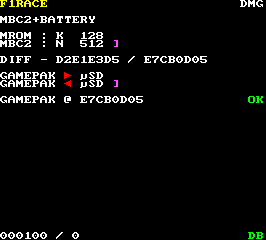
A or B = back to MROM/SRAM selection
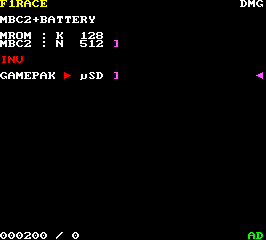
↑↓ = move selection cursor (no effect, single entry), A = select, B = back
A savegame file on the SD card is flagged as invalid when its size does not match the cartridge RAM capacity. The only option available is to overwrite the invalid copy (or exit = no change). In this case, the savegame file is 512 bytes (0x200) instead of 256 bytes (0x100). The MBC2 stores 512 4-bit values (nibbles), which correspond to 256 8-bit values. Therefore, the file is invalid.
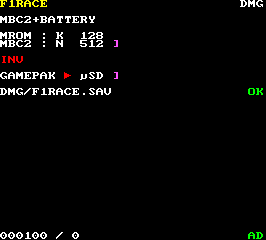
A or B = back to MROM/SRAM selection
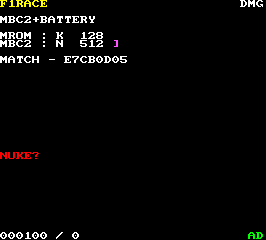
L + R = erase all
NUKE is a hidden option entered by pressing L + R simultaneously after SRAM has been selected. Pressing L + R a second time will clear the entire RAM (0xFF fill). A new F1 RACE cartridge comes with its save memory filled with 0xFF, not valid save content, not random data. This option is useful to restore cartridges with no erase option to their original state (F1 Race, Tetris DX (high scores), ...).
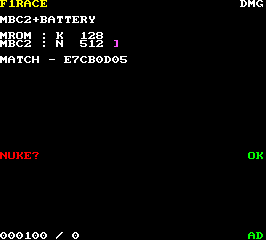
A or B = back to MROM/SRAM selection
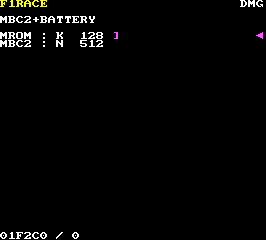
SELECT = screenshot
0x1F2C0 bytes written = 266x240 @ 16bpp (RGB565LE)
Assets/mrom/common/SCREENSHOT.RGB565LE
ffmpeg -y -f rawvideo -r 1 -pixel_format rgb565le -video_size 266x240 -i SCREENSHOT.RGB565LE SCREENSHOT.PNG
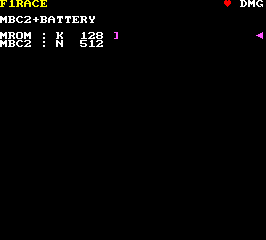
START = show/hide
A beating heart driven by the system worker (preemption, see § architecture).

The firmware first validates the Nintendo logo section and then calculates the ROM header checksum. If either is invalide, the ERROR message will be displayed and execution halts. To rule out read errors, try starting the game with the Pocket. If the game is rejected by the Pocket, the cartridge contacts need to be inspected/cleaned. Custom ROM in a UVPROM/flash chip must have all header sections correctly populated. Bootleg cartridges have not been tested.
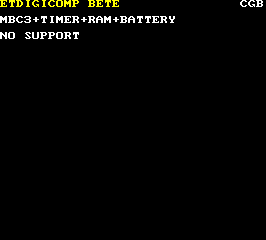
This cartridge type is not supported at the moment ("NO SUPPORT"). Please check regularly for updates.
The MROM firmware is a fully self-contained program. It embeds a subset of C standard primitives and has no external dependencies - libc, headers, or otherwise. The user logic code runs on top of a minimalist preemptive multitasking core written specifically for this system. It is written in C and assembly (trap handler, system calls...). The LCD is driven by a virtual terminal layer w/ rudimentary ANSI/VT100 emulation (escape codes). The compiled demo code is just over 18KB!
|
90% |
|
? |
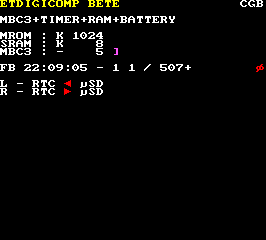
RTC development - documentation preview
MBC3 support prototyping (now available, ED3A/210B and up), savegame freeze bug fix validation.
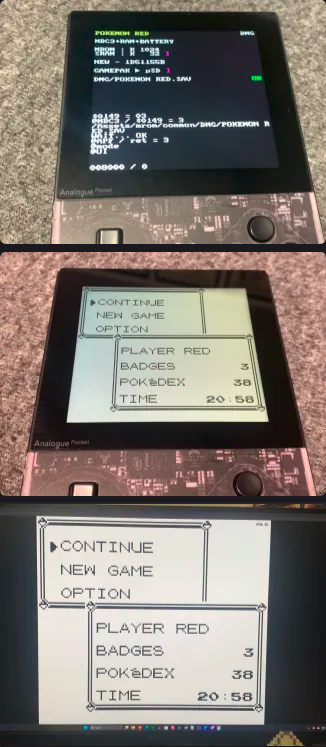
Pokemon Red savegame pull > Mesen emulator on computer (credit @sho1985)
02/2026